The next level of analytics: How to break free from GA4 limitations and maximize your data's potential

Seven Google tool bottlenecks solved by BigQuery
If you work in marketing or e-commerce, you are undoubtedly familiar with Google's analytics tools. Google Analytics 4, Search Console, and Data Studio might even be part of your daily toolkit. They are popular for good reason: besides being easy to use, they seemingly work seamlessly together when you look at short-term reports and don't need to filter your data.
However, you may have encountered limitations in these tools. They often manifest as slowness, errors, restricted filters, or even disabled features. Yet, the biggest pitfalls aren't immediately visible at the UI level—they quietly erode the data underlying your reports.
You can avoid those frustrating situations and ensure 100% data accuracy by exporting your data to Google BigQuery—a modern, cloud-based data warehouse running on Google Cloud. Do you recognize these seven common bottlenecks that a data warehouse can solve?
Data Studio report slowness and quota errors
Have you struggled with slow-loading reports or error messages? These issues stem from the direct connection between Data Studio and GA4, as well as query limits that trigger quota errors when exceeded. In BigQuery, your data resides in a high-performance cloud database, allowing reports to load instantly without lag or error messages.
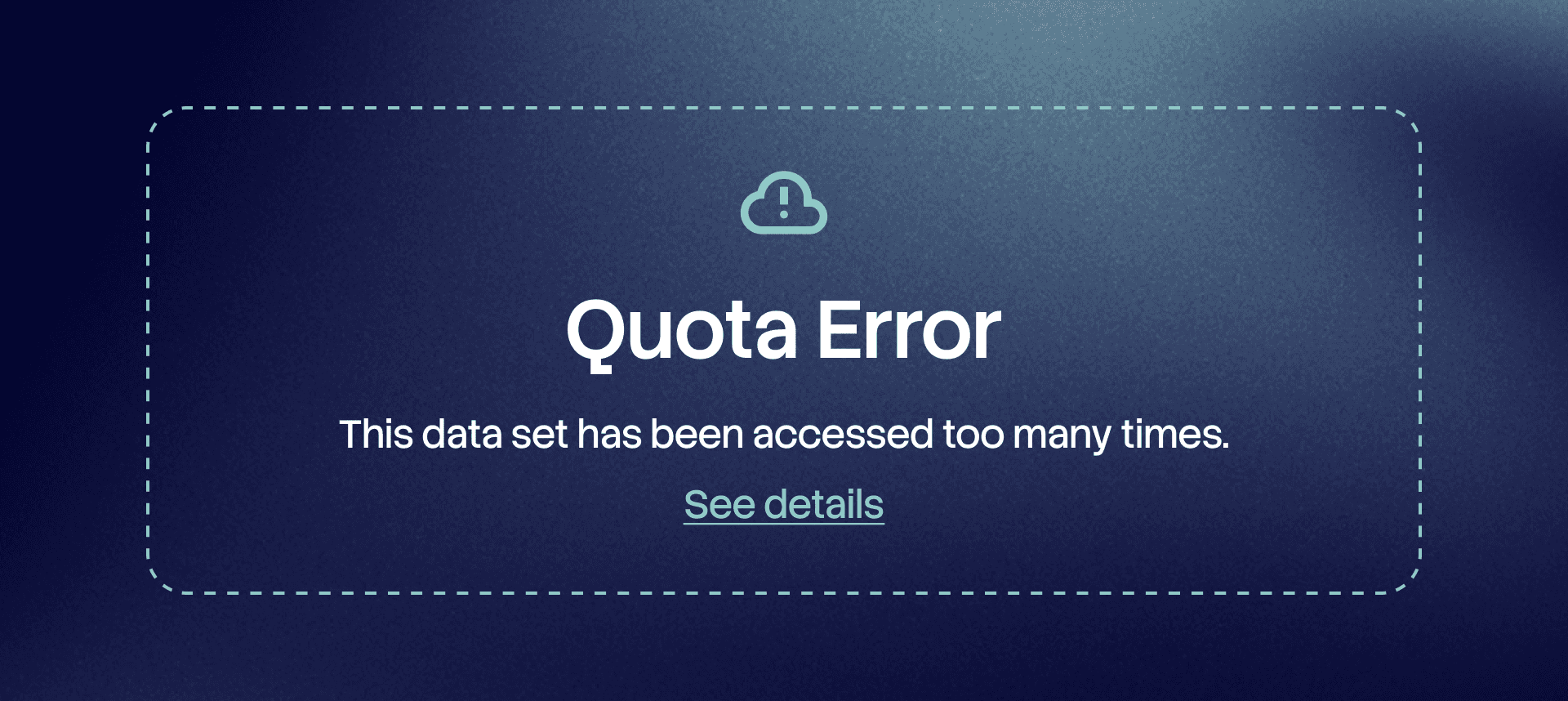
A painfully familiar error for many Data Studio users when the GA4 API quota limit has been reached. In BigQuery, this quota does not exist.
Limited data retention
In GA4, individual user-level data retention is capped at a maximum of 14 months, with the default setting being just 2 months. Although GA4's standard reports show high-level metrics years back, you hit a wall as soon as you use the Exploration feature and want to segment your data more precisely. In BigQuery, there is no time limit on data retention—your data warehouse is permanent.
Reports skewed by bot traffic
GA4's filtering options are limited primarily to internal traffic, and in Data Studio, you are forced to apply filters on a report-by-report basis. In BigQuery, you can define precise filtering rules and strip out bot traffic early on, ensuring only clean data makes it into your reports.
Data sampling
With high traffic volumes, GA4 starts offering estimates based on data sampling instead of exact figures. In a data warehouse, you always have access to accurate, untouched raw data.
Lost signals from Advanced Consent Mode
GA4 enables the collection of cookieless pings from visitors who decline cookies. On smaller websites, Google hides this data from reports for privacy reasons, but in BigQuery, these signals are saved regardless of your traffic volume.
Search Console limitations
In Google Search Console (GSC), historical data is limited to 16 months, and when applying filters, Google hides a significant portion of search engine data citing privacy protection. In BigQuery, you can analyze your historical data as far back as you like, and filtering won't cause your reported numbers to plummet.
Data Studio Conversational Analytics feature
Google has introduced an AI agent alongside reports, allowing you to ask questions about your data. However, the agent can only read your GA4 data once it is stored in BigQuery.
How do collection, storage, and ownership differ?
Data warehousing means moving data out of a closed third-party ecosystem into an environment under your own control and storage. While the definition is simple, it is often confused with two other terms:
Server-side tracking: A modern data collection method that bypasses browser restrictions to ensure accurate data for advertising optimization. At the same time, it ensures unnecessary personal data isn't passed to third parties. Data warehousing comes into play after this step: it helps you extract full value from the data you've already collected. In an ideal setup, these two solutions complement each other.
Data ownership: A strategic choice regarding who gets access to your data. Ownership can be roughly divided into three models:
Just you: Data is stored entirely on your own servers (e.g., Matomo).
Third party: If you only use GA4, the true owner of the data is Google.
Shared ownership (you and a third party): If you use GA4 together with BigQuery, you gain full control over your data in BigQuery, but Google still uses it in the background of GA4 to develop its ecosystem.
If your company's data protection policies require that data must never enter Google's ecosystem at any point, you will need a self-hosted data warehousing solution like Matomo. However, for a GA4 user, BigQuery is the most natural and easiest path to taking full control of your data.
BigQuery: Low-barrier data warehousing
Data warehousing is no longer reserved for massive enterprise data volumes and heavy infrastructure. Today, more and more businesses use a data warehouse for their GA4 data alone, as Google provides a ready-made, accessible platform for it. BigQuery runs as part of the broader Google Cloud platform, which features surprisingly generous free tiers: the first terabyte of data queries and 10 gigabytes of storage per month are completely free. Additionally, data exports from GA4 and Search Console are also free of charge.
If your website generates 500,000 events per month, your costs will look roughly like this:
Cost item | Monthly volume | Price |
|---|---|---|
Data ingestion | 500,000 events | €0 (free GA4 export, up to 1 million/day) |
Data storage | approx. 0.5–1 GB raw data | €0 (fits within the 10 GB free tier) |
Queries & analysis | Active report usage | approx. €0.00 – €0.50 |
In this example, total costs come out to virtually zero euros. Costs only increase to a few euros per month when website traffic reaches tens of millions of events or when heavy AI models are built for data processing.
The low barrier to entry isn't limited to price. Launching a data warehouse requires only a few clicks inside the GA4 interface, provided your company has set up a free Google Cloud project. While you need to be careful with data location and transfer settings during configuration, the setup is otherwise straightforward. The process for Search Console is just as simple, and once linked, your search engine data accumulates without a 16-month retention cap or Google-applied anonymization.
The greatest potential, however, lies in bringing non-Google data into BigQuery. For example, you can import daily data from your cookie consent solution, placing visitor consent data right alongside the rest of your analytics data. Many well-known consent management platforms offer built-in BigQuery exports—and with Cookiebot, for instance, it is completely free.
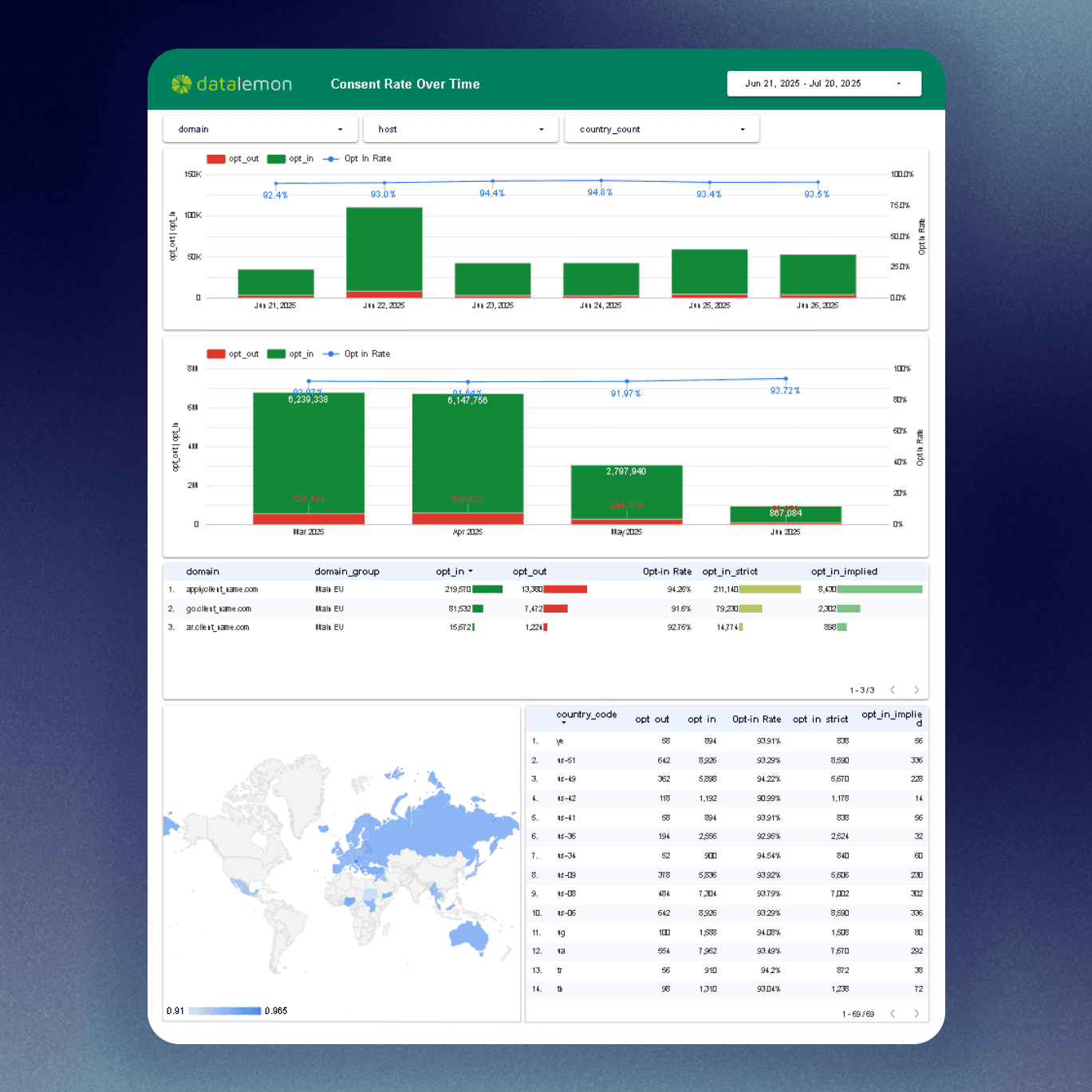
Visualization of Cookiebot consent data in Data Studio. (Image source: Usercentrics.com)
By combining visitor traffic data from GA4, search engine data from GSC, and consent data from your cookie banner in a single data warehouse, you get an uninterrupted view of the user journey—from search query all the way to conversion. Furthermore, you can cross-reference consent data against visitor traffic to gain precise insights into tracking blind spots and consent banner performance. Achieving a comparable overview using GA4 alone would be pure guesswork.
Three steps: From raw data to complete reports
Visualizing GA4 and Search Console data using Data Studio's native connectors represents the basic tier of analytics. If this reflects your daily workflow, you are likely checking other data (such as cookie consents) in separate tools, meaning your data is siloed. You might be using Data Studio's Blending feature to join datasets, but that only slows down the GA4 API even further.
Fortunately, moving forward from this starting point with BigQuery is simple. The process consists of three main phases:
Automated data collection: Once GA4 and Search Console integrations are enabled, raw data begins flowing automatically into BigQuery. For your consent solution (such as Cookiebot), exports are automated in the background, collecting consent data without requiring manual CSV transfers.
Data cleaning and structuring: Raw data is merely the foundation; it needs to be structured into a usable format. At this stage, a specialist filters out bot traffic, unifies different data streams using SQL queries, and transforms cookie consent entries into clean, easily comparable data.
Updating reports: Finally, inside Data Studio, you replace the old direct native connectors with these new BigQuery tables as your data source. Now, reports load in the blink of an eye, quota errors disappear permanently, and your company gains a multi-year view of actual business results.
Keep these in mind when starting with BigQuery
Enable the link immediately: Data only begins accumulating in the warehouse from the moment the connection is established. The sooner you activate GA4 and GSC exports, the more historical data you will have available moving forward.
Set budget alerts in Google Cloud: Although BigQuery offers generous free limits and usage is often completely free, it is best practice to play it safe with cloud services. An automated alert ensures that no single query results in unexpected costs.
Scale your architecture as needed: Once the foundation is in place, the possibilities of a data warehouse are endless. You can later integrate data from sources like your CRM system, allowing website behavior data to enrich your customer profiles.
The first steps toward data warehousing are just a few clicks away. Looking to break free from interface limitations and gain total control over your data? Get in touch with us! Let's take your analytics to the next level together and connect your data silos into a clear, unified picture.

Aleksi Haimakainen
Web Analyst